
Elevate Your Work-from-Home Experience: Designing a Comfortable and Efficient Workspace
The lines between home and office have blurred for many, transforming living spaces into dynamic workspaces. This shift, driven by technological advancement and evolving work cultures, necessitates a thoughtful approach to home office design. More than just a desk and a chair, a well-crafted home office is a sanctuary for productivity, a haven for creativity, and a vital component of a balanced life. Crafting such an environment goes beyond aesthetics; it’s about strategic planning, ergonomic understanding, and a commitment to personal well-being.
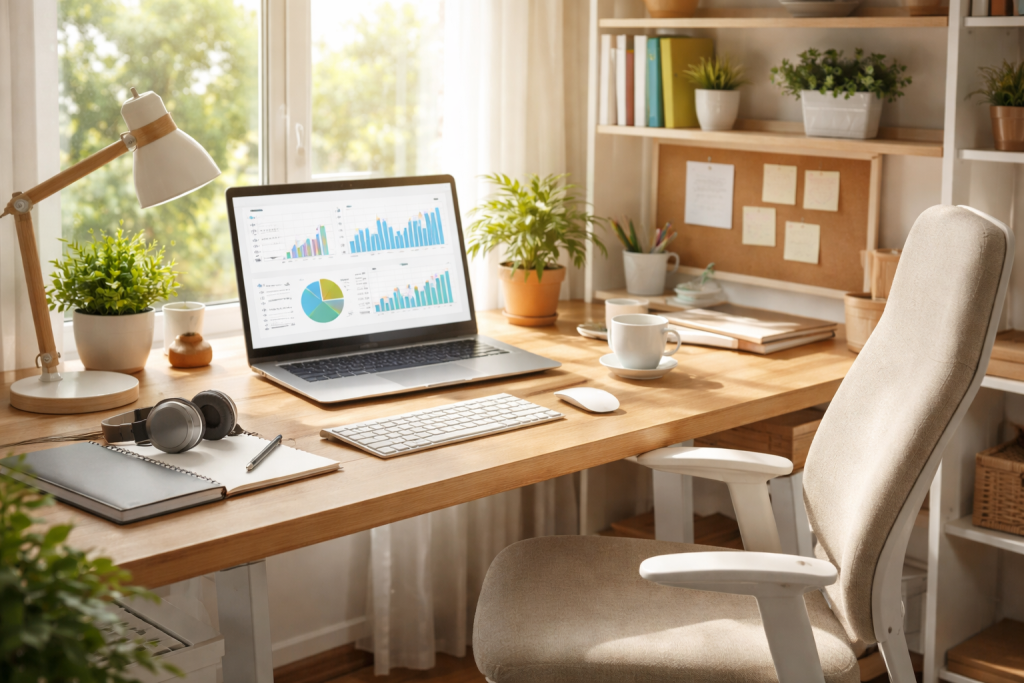
The foundation of an effective home office lies in its fundamental functionality. This isn’t merely about assembling disparate items but about creating a cohesive ecosystem where every element serves a purpose and contributes to a smoother workflow.
Contents
- 1 Strategic Space Selection and Layout
- 2 Defining Your Workflow Needs
- 3 The Cornerstone: Ergonomic Seating
- 4 The Work Surface: Desk Considerations
- 5 Essential Technological Hardware
- 6 Navigating the Digital Landscape: Monitor Placement and Lighting
- 7 Acoustic Management and Minimizing Distractions
- 8 Scheduled Breaks and Movement Integration
- 9 Implementing Effective Storage Solutions
- 10 Adding Personal Touches for Inspiration
- 11 Establishing Clear Boundaries and Routines
- 12 Nurturing Your Well-being Beyond Work Hours
Strategic Space Selection and Layout
The first crucial step involves identifying the ideal location within your home. Consider factors such as natural light, potential for quiet, and proximity to household distractions. A corner of a living room might suffice for occasional tasks, but for dedicated, full-time work, a separate room or a well-defined niche offers significant advantages. After selecting the space, a thoughtful arrangement becomes crucial. Think about the “flow” of your work. Your main monitor should be directly in front of you, with frequently used items within easy reach. Tucked-away storage solutions can minimise clutter, ensuring your workspace remains visually calming and conducive to focused thought. Avoid facing a blank wall if possible; a window view can be energising, or even a strategically placed piece of art can provide a mental break.
Defining Your Workflow Needs
Before acquiring any equipment, take time to analyse your daily work activities. Do you primarily engage in data entry, graphic design, extensive writing, or frequent video conferencing? Each of these roles demands different tools and spatial considerations. A graphic designer might prioritise a large, colour-accurate monitor and ample drawing space, while a writer might focus on a comfortable keyboard and a distraction-free environment. Understanding these specific needs will guide your choices in furniture, technology, and organisational systems, preventing unnecessary purchases and ensuring your setup genuinely supports your professional demands.
Your comfort and long-term health are significantly influenced by the tools of your trade, particularly the furniture. Investing wisely in these elements is an investment in your productivity and well-being.
The Cornerstone: Ergonomic Seating
Perhaps the single most important piece of furniture in your home office is your chair. A high-quality ergonomic office chair is not a luxury; it is a necessity. Look for features such as adjustable lumbar support, armrests that can be set to the appropriate height, and a seat that allows your feet to rest flat on the floor with your knees at a 90-degree angle. The ability to recline and adjust the seat depth further enhances comfort and allows for variation in posture throughout the day, preventing stiffness and promoting circulation. Skimping on your chair is a false economy, as discomfort and potential health issues will inevitably impact your focus and output.
The Work Surface: Desk Considerations
Your desk should be spacious enough to accommodate your monitors, keyboard, mouse, and other essential tools without feeling cramped. Consider the height of your desk; ideally, your arms should form a 90-degree angle at the elbow when typing, with your wrists straight. Standing desks have gained significant popularity for their health benefits, allowing you to alternate between sitting and standing, which can alleviate back pain and improve alertness. If a full standing desk isn’t feasible, a desk converter offers a more affordable solution. Material and durability are also important; a sturdy surface prevents wobbling and ensures longevity.
Essential Technological Hardware
Beyond your computer, consider the peripherals that enhance your daily tasks. A high-resolution monitor or multiple monitors can significantly boost productivity, allowing you to view several applications simultaneously. A quality keyboard and mouse, whether wired or wireless, should feel comfortable and responsive to your touch. A reliable webcam and microphone are essential for professional video calls, ensuring clear communication and a polished appearance. Don’t overlook the importance of a robust internet connection; consistent speed and reliability are paramount for seamless workflow. A printer/scanner can also be invaluable for document handling, even in an increasingly digital world.
A good home office is one that is functional, inviting, and conducive to focus and well-being.
The placement of your monitor is critical for eye comfort and posture. Place your monitor at arm’s length, ensuring the top of the screen is at or slightly below eye level to prevent neck strain. If using multiple monitors, arrange them ergonomically to minimise head movement. Equally important is lighting. Natural light is ideal, so position your desk near a window if possible, but avoid direct glare. Supplement natural light with task lighting, such as an adjustable desk lamp, to reduce eye strain during darker hours or on overcast days. Opt for warm, diffused light to create a comfortable ambience.
Acoustic Management and Minimizing Distractions
Noise can be a significant productivity killer. If possible, choose a space away from high-traffic areas of your home. Consider sound-dampening elements like thick curtains, rugs, or even strategically placed bookshelves filled with books. Noise-cancelling headphones are an excellent investment, buffering you from household sounds and allowing for uninterrupted concentration. Beyond auditory distractions, minimise visual clutter. A tidy workspace promotes a tidy mind. Keep personal items to a minimum on your immediate work surface, reserving them for designated display areas.
Scheduled Breaks and Movement Integration
Even the most ergonomically perfect setup cannot counteract the negative effects of prolonged stillness. Incorporate regular breaks into your workday. Stand up, stretch, walk around, or even perform a few simple exercises. Consider using a timer to remind you to take these microbreaks every 20-30 minutes. Incorporating movement into your daily routine, whether it’s a dedicated walk during your lunch break or using a standing desk, is crucial for both physical and mental well-being. These brief interruptions can refresh your mind and prevent fatigue, ultimately leading to greater sustained productivity.
An organised and personalised space not only enhances efficiency but also contributes to a sense of ownership and enjoyment, making your work environment more inspiring.
Implementing Effective Storage Solutions
Clutter is the enemy of focus. Invest in smart storage solutions that keep your supplies, documents, and equipment neatly tucked away. Filing cabinets, shelves, drawers, and even decorative bins can help maintain order. Think vertically to maximise space, especially in smaller offices. Labelling is a simple yet powerful tool for quick retrieval of items. Regularly declutter your workspace, both physically and digitally, to prevent accumulation and maintain a streamlined environment.
Adding Personal Touches for Inspiration
Your home office should reflect your personality and inspire you. Incorporate elements that bring you joy and comfort. This could be a favourite piece of art, a plant, photographs, or a personal memento. The key is to strike a balance between personalisation and avoiding excessive clutter. These personal touches can create a more inviting and less sterile atmosphere, fostering a positive mindset and boosting creativity. A comfortable throw blanket or a scented candle can also contribute to a soothing ambiance.
The very convenience of a home office can sometimes make it challenging to switch off. Establishing clear boundaries and rituals is paramount to prevent burnout and ensure a healthy separation between work and personal life.
Establishing Clear Boundaries and Routines
The biggest issue with working from home is that it can invade your life. Please establish clear operating hours and make an effort to adhere to them. Communicate these hours to family and colleagues. When your workday ends, mentally “close” your office, even if it’s just by tidying your desk or shutting down your computer. Creating a “commute” ritual, such as a short walk before and after work, can help your mind transition between professional and personal modes. Avoid checking work emails or taking calls outside of your designated hours to preserve your personal time.
Nurturing Your Well-being Beyond Work Hours
A healthy work-life balance extends beyond the confines of your office. Dedicate time to activities that rejuvenate you, whether it’s exercise, hobbies, spending time with loved ones, or simply relaxing. Ensure you’re getting adequate sleep, eating nutritious meals, and staying hydrated. The home office environment can make it easy to forget these basic self-care needs. Regularly disconnecting from work and engaging in activities that bring you joy are crucial for preventing stress and maintaining overall mental and physical health. Remember that a balanced individual is a more productive and happier professional.

GoLiveXora is managed by a passionate content creator dedicated to helping people improve their everyday lives through practical knowledge and modern solutions.